R
R.
User
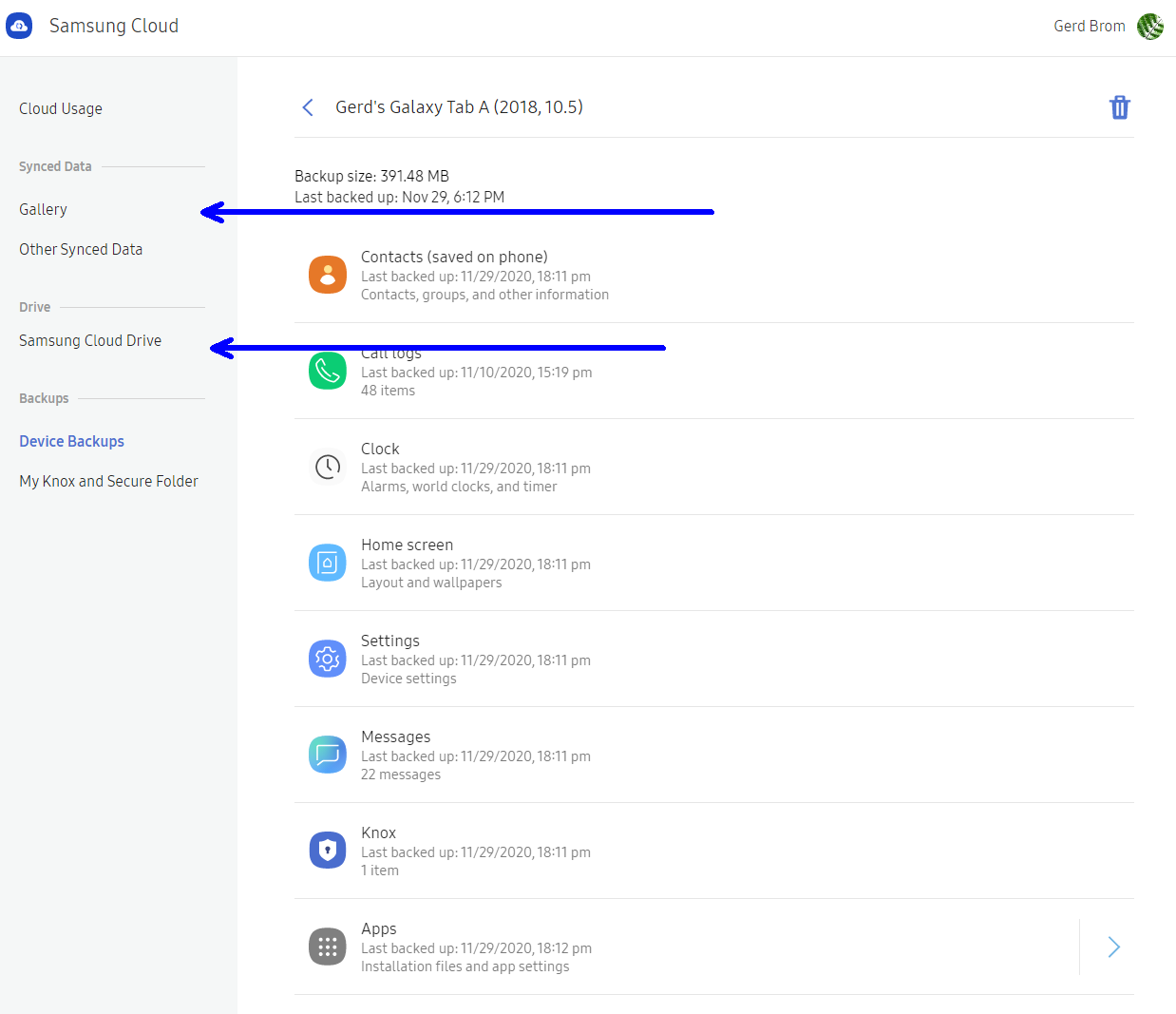
I am not able to access the details of my SS cloud data summarized on Samsung Cloud with an PC only.
If I click on "Gallery", or "Other Synced Data", a verification notification is sent, that I can only access with a modern mobile Samsung device logged into the same account.
My SM-T595 recieves it, my older Note 4 not.
Also, I would like being able to access my data without a mobile device whatsoever.
If I click "Don't have a device?" I get the notice, to logoff all devices, which will then allow me to login by Email instead. This however does not work - even with all devices logged off, only the notification method is offered.
Any advice ???
Thanks
If I click on "Gallery", or "Other Synced Data", a verification notification is sent, that I can only access with a modern mobile Samsung device logged into the same account.
My SM-T595 recieves it, my older Note 4 not.
Also, I would like being able to access my data without a mobile device whatsoever.
If I click "Don't have a device?" I get the notice, to logoff all devices, which will then allow me to login by Email instead. This however does not work - even with all devices logged off, only the notification method is offered.
Any advice ???
Thanks
 Erfahre, wie du deine Kontaktdaten auf deinem Galaxy Smartphone mit der Samsung Cloud sichern und wiederherstellen kannst.
 Wenn du dein Android-Telefon mit einem Computer verbinden möchtest, hast du mehrere Möglichkeiten. In diesem Leitfaden stellen wir dir die drei Methoden vor, die du anwenden kannst, und erklären dir, was du dabei beachten musst.
 Es ist ganz einfach, deine Samsung Galaxy Buds mit deinem Computer zu verbinden. In diesem nützlichen Leitfaden findest du alle Informationen und Schritte, die du dafür brauchst.